

Margin per production
How much did this production actually make us?
The question comes once the job is over, when the numbers are scattered across the quote, a spreadsheet and supplier invoices. Here is a method to answer it, and how Made In Show does it.
The short answer
Quote versus final statement, production by production.
To know whether a production made money you need two sets of numbers on the same items: the quote, what you expected to bill and spend, and the final statement, what you actually spent. Made In Show, the management software for audio, lighting and video production companies, creates the final statement as a copy of the quote: you update it with the real costs and compare the production's expected and actual operating margin, together with the variance of each section's totals.
How it usually goes
The numbers get done at month end, by eye.
The quote lives in a file, the crew hours in a chat, the supplier invoices with the accountant. After the event nobody has time to put the pieces back together, and the month's revenue doesn't tell you which production paid off and which didn't.
The method
What goes into a production's numbers
- Revenue: the price agreed with the client, excluding VAT.
- Crew: freelancers' fees and the cost of employees for the days worked.
- External supplies and services, including gear hired from other companies.
- Transport and vehicles, meals, accommodation and travel.
- Consumables used.
- Your own gear: using it isn't free, with wear, maintenance and breakages. You can estimate it with an internal daily cost.
How it works in MIS
From quote to margin, in five steps
The quote is already split by cost
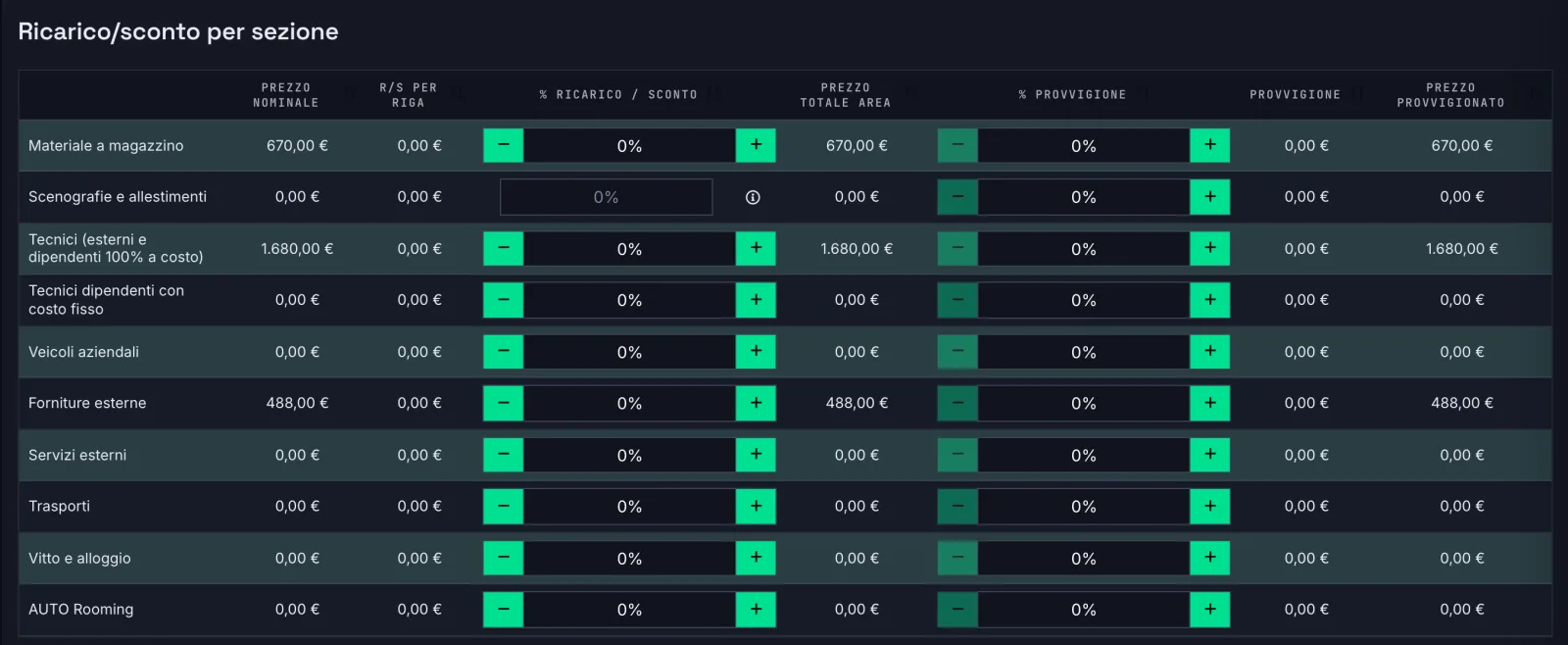
In an MIS quote costs are split into sections: warehouse gear, external and employed technicians, company vehicles and one section for each type of external item (supplies, services, transport, meals and accommodation, plus the types you define). Each section has its own mark-up.
When the job is done, you create the final statement
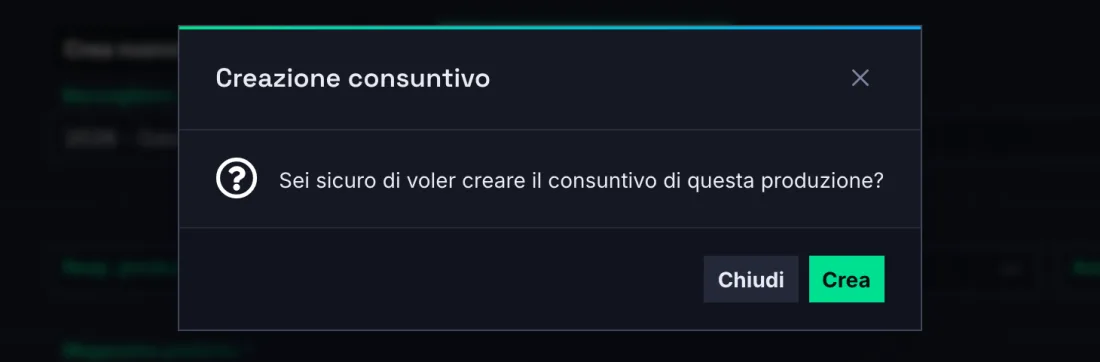
With “Create final statement” MIS copies the quote, items included, into a final statement linked to the production. You update it with what actually happened: extra items, different quantities, added technicians.
You read the production's margin
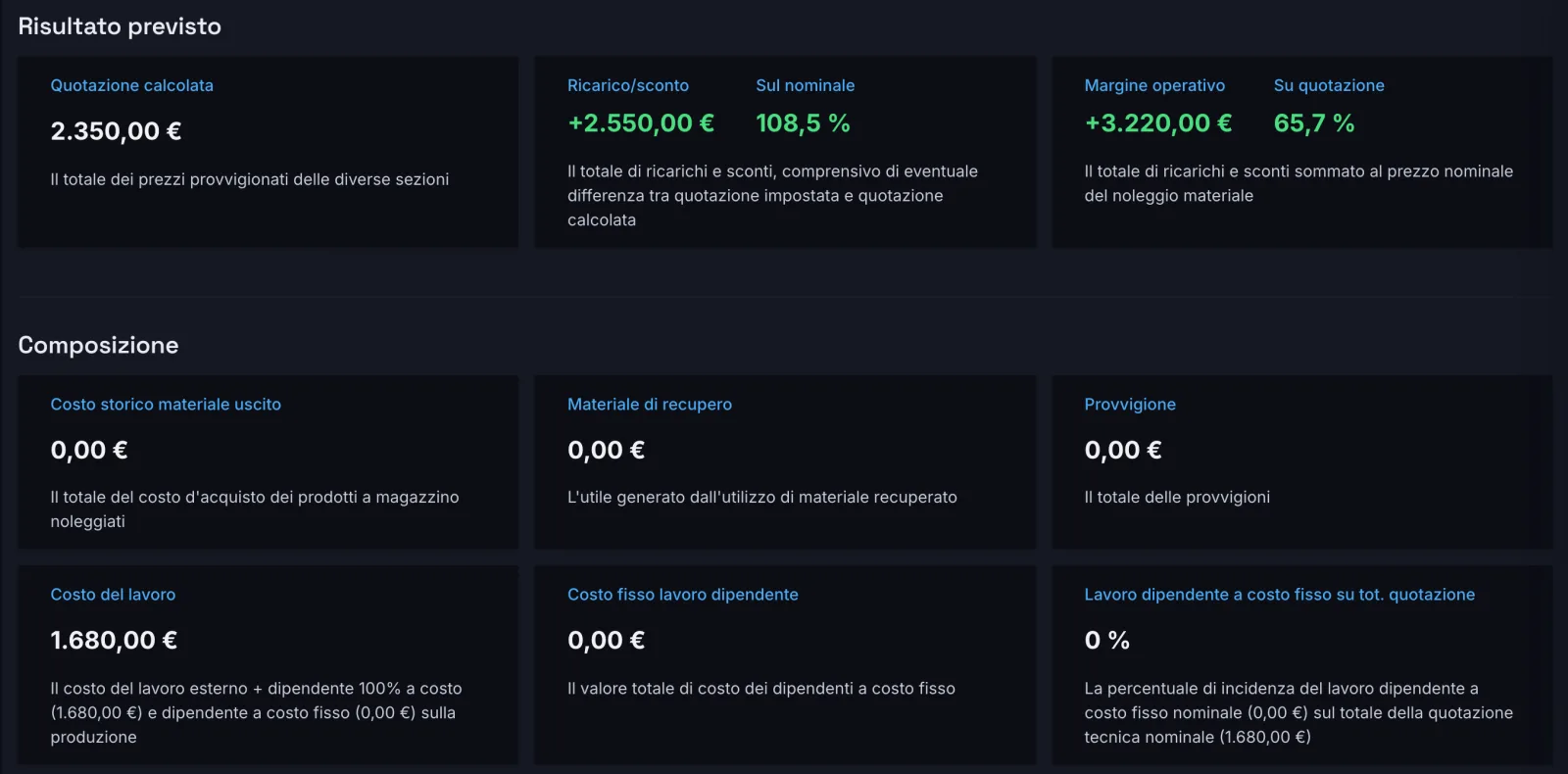
The economic details show the operating margin: the client price minus the costs you entered, section by section. For employees on a fixed cost the calculation uses their daily cost, not their rate; the rental of your own gear counts entirely as margin, because MIS does not subtract a cost of use from it.
You compare every production
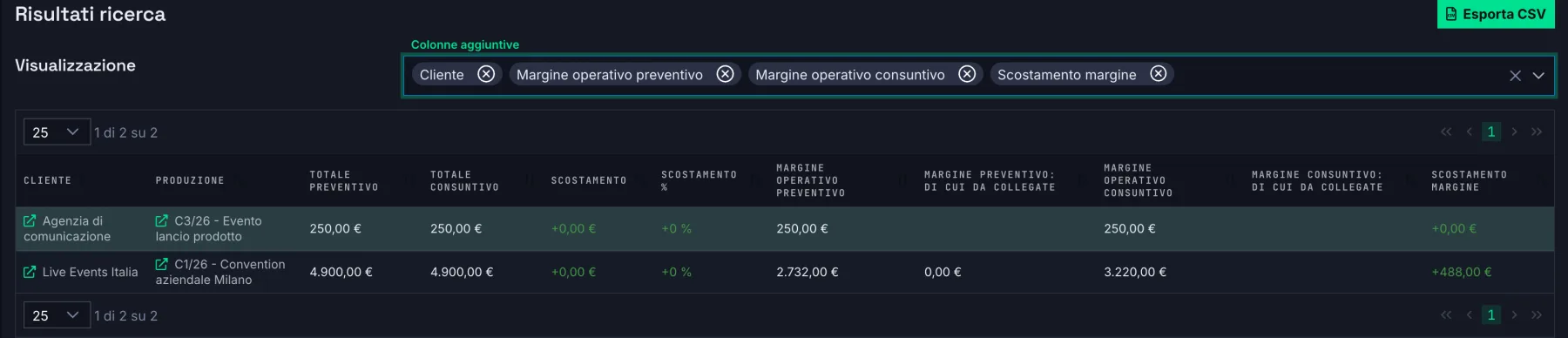
The variance statistics list the productions that have a final statement: quote and final totals, variance in euros and percent, expected and actual operating margin, and for each section the quote and final totals with the difference. You can filter by client, period, status, tag and business unit, and export to CSV.
Trade shows and tours
In trade-show and tour binders the costs of non-billable productions are allocated by share to the billable ones, so each production's margin takes them into account.
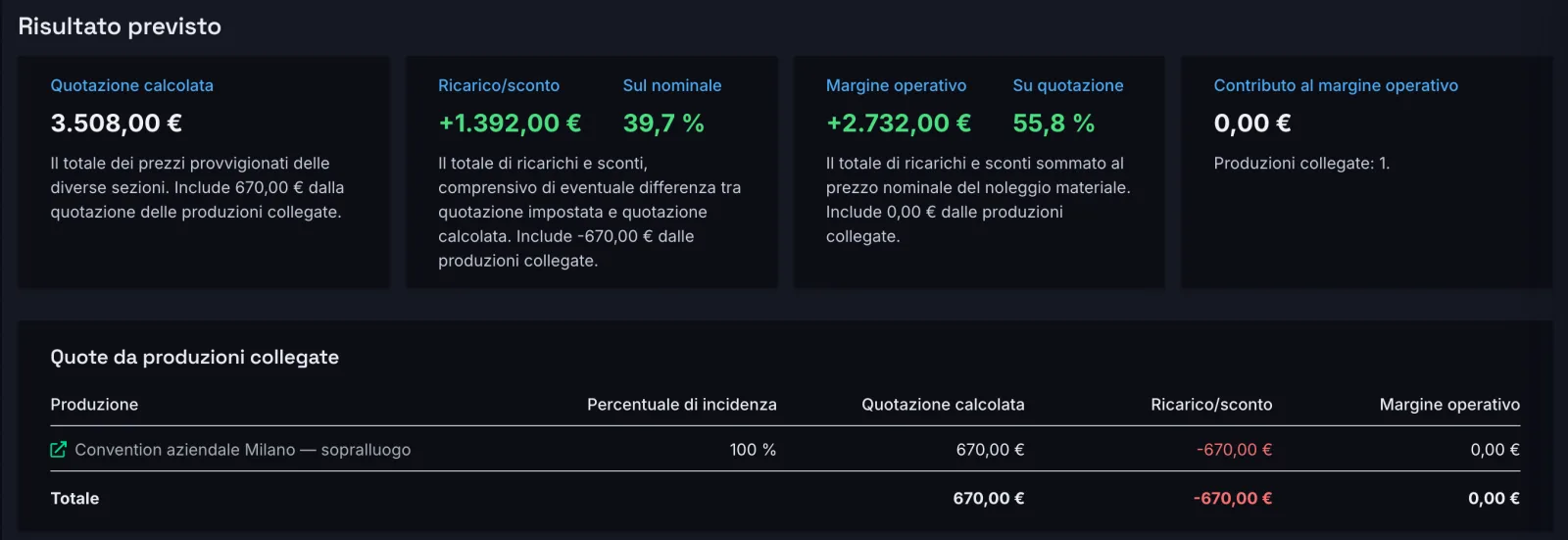
App screenshots in Italian. Demo environment, synthetic data.
Worth knowing
The limits, up front
- MIS shows an operating margin, calculated with the software's rules: it is not your financial statement result.
- The rental of your own gear enters the margin as full revenue: MIS does not subtract a cost for using it (depreciation, wear, maintenance) and shows the historical cost of the gear that went out only as information. If you need that cost, estimate it separately.
- Final-statement costs are entered by whoever closes the production: supplier invoices are not attached to the items automatically.
- The margin is only as right as the final statement is complete: a technician not recorded or a forgotten hire moves it.
With the AI assistant
Where the AI assistant helps
- Before closing: the assistant goes over material, extras, external supplies and loading plans and flags what does not add up. It cannot see what was never recorded: a technician or an expense never entered still needs checking.
AI access must be enabled by the administrator, who also decides whether the assistant can change data. The assistant works with your permissions. Requirements and costs of the AI plan are on the AI page.
Frequently asked questions
- How do I know whether a production made us money?
- Compare the revenue with all the direct costs of that production: crew, external supplies and services, gear hired from other companies, transport, travel, consumables, plus an estimate for using your own gear. On the quote the numbers tell you what you expected to make, on the final statement how it went on the costs recorded. In Made In Show the final statement starts from the quote and the operating margin is shown for every production; the estimate for using your own gear stays separate.
- What is the difference between a quote and a final statement?
- The quote is the forecast: price and estimated costs before the job. The final statement is the account once the job is done, with the real costs. In MIS the final statement is a copy of the quote that you update, so both have the same items and the variance of the totals can be read section by section.
- Does MIS calculate gear depreciation?
- No. Rental of your own gear enters the margin as full revenue, with no cost of use deducted; the historical cost of the gear sent out is shown for information only. If you need an estimate, the AI assistant connected to MIS can make one from purchase costs and recorded rentals, using the criterion you choose. The estimate stays separate from the MIS margin.
- Can I see which clients are the most profitable?
- In the variance statistic you filter by customer and period, see the totals of the filtered productions and export them to CSV. MIS has no ranking of customers by margin. You can ask the AI assistant connected to MIS for one: it adds up, customer by customer, the operating margin of the period's final statements and tells you which productions it counted; those without a final statement yet are left out. You need the economic-data permissions, and the result is only as good as the costs recorded.
See it on your own numbers.
In the half-hour demo we start from one of your typical jobs and close it with a final statement. If you'd rather look on your own first, the trial environment opens without an appointment, with demo data, and a step-by-step guide (in Italian) shows how to create the final statement.
Book a demoTry it nowStep-by-step guide (in Italian)
No appointment: sign up and you are in. It is a shared trial environment that resets every week.