Changelog
What changed.
Only what you can see while working, no internal notes. Release by release.
Version 11.0.16
Demo environment, synthetic data.
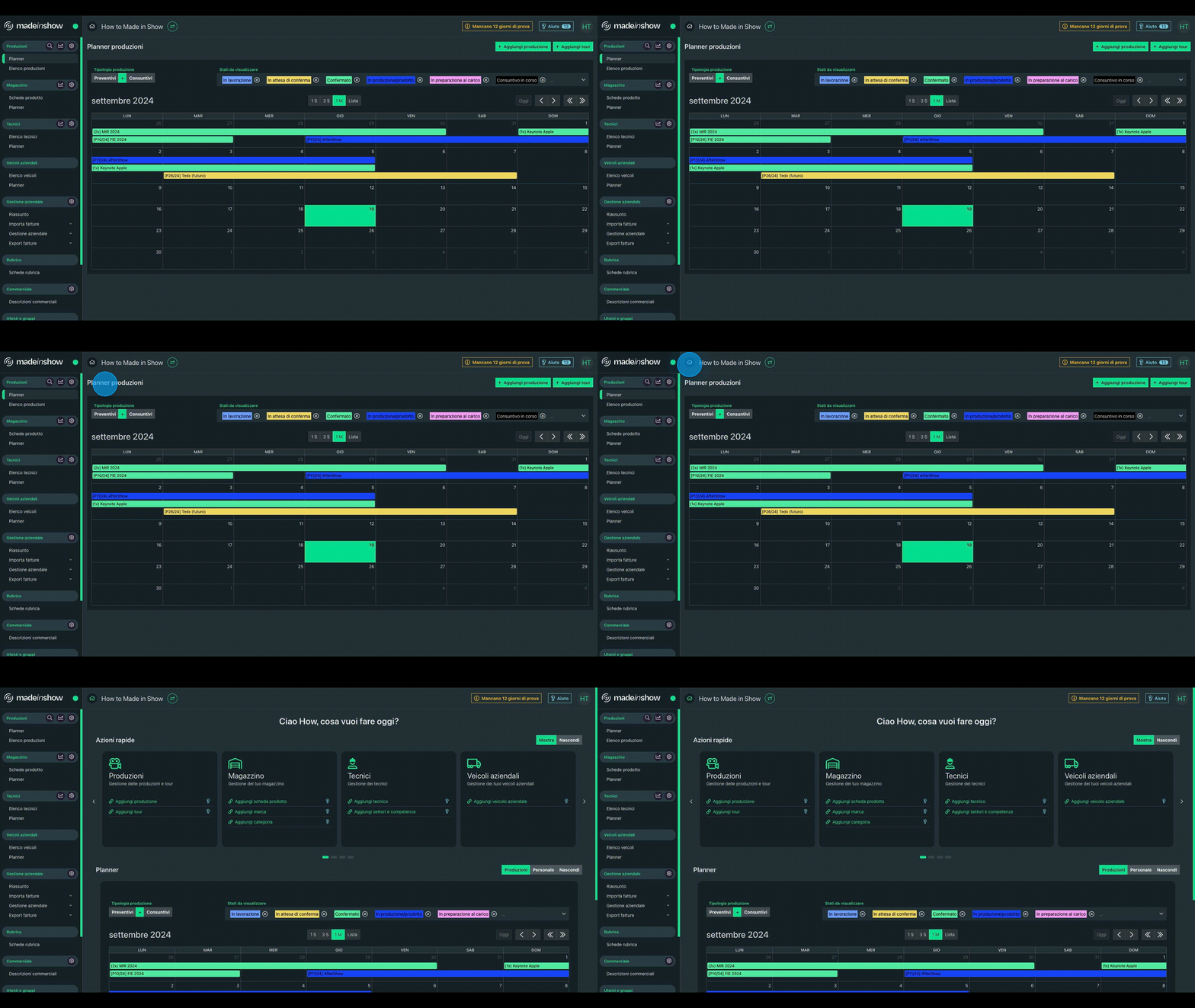
- ImprovedA renewed interface with an overall redesign of the application.
- ImprovedRenewed, configurable home widgets that can be shown or hidden.
- ImprovedBusiness unit support in production statistics, the general sheet and external quotes.
- ImprovedA period can be used as the decimal separator.
- ImprovedReal-time chat with user presence, typing indicators, read receipts and unread-message badges.
- NewDesktop notifications for new chat messages.
- NewCompany notification center with a bell in the top bar and an unread-notification count.
- NewClone a user group and copy permissions from one group to another.
- ImprovedNavigation with contextual breadcrumbs and quick production switching from the sidebar.
- ImprovedItalian and English interface translations completed.
- ImprovedImproved text readability throughout the application in both light and dark themes: colored financial amounts (profit, shares, balance) and captions on financial cards now meet AA contrast, and step titles in wizards (import from production, add technician) are no longer faded.
- NewWhen choosing colors for production statuses, tags, note categories and invoice statuses, a traffic-light indicator shows in real time whether the contrast between text and background is poor, medium or good according to the WCAG accessibility standard.
- ImprovedMore compact and orderly sheet side menus: closer-set entries and uniform-width icons with aligned labels, across all sheets with side navigation (production, binder, venue, load plans, company vehicle, product sheet, technician, address book, invoice).
- ImprovedAction bars collapse into the "Actions" menu only when space actually runs out.
- ImprovedRemoved the legacy AI assistant from chat.
- ImprovedImproved overall stability and reliability throughout the application.
- ImprovedFaster first load of the application.
- ImprovedTooltips on icon-only buttons: add and delete row in the units table, and the week arrows in the load plan planner.
- ImprovedFaster home and planners: the production calendar, the technician sheet planner and the vehicle planner make a single request to the server per navigation instead of one per production status; the benefit grows with the number of configured statuses.
- ImprovedThe session is renewed automatically when you return to the application after hours of inactivity, for example reopening the laptop in the morning: as long as renewal is possible you are no longer sent back to the login page, and requests that failed because of an expired token are retried on their own.
- ImprovedOpening an item that no longer exists, for example from an old link or after a deletion, shows an explicit message instead of an empty sheet.
- FixedImproved application stability on iPhone after updates.
- NewA warning in the top bar when the application open in the browser is older than the server, with an “Update now” button that loads the new version right away.
- ImprovedUnread message and notification counters sit on the corner of the button instead of over the icon, which stays legible even with two-digit numbers.
- NewAn “Unstable connection” warning in the top bar when the network between the browser and the server slows down several times within a few minutes: hovering shows the server time, the network wait and the peak, so you can tell whether the slowdown comes from the connection.
- FixedFrom the AI connector you can update quote texts and create a production without specifying economic conditions, which are then taken from the client's in the address book.
- NewLoad plans and virtual products.
- NewNew warehouse section (in beta) for consumables, with purchased and recovered lots organized into categories with dedicated prices; bookable from the production Equipment sheet (next to the extra budget), with the same markup percentage as equipment, and costs and margins visible in the financial details.
- NewQuickly create a brand and category while adding a product sheet, without leaving the page.
- NewChoose the reference container used to calculate the rate for composite products.
- ImprovedProduct-type filter in warehouse product search.
- ImprovedPlanner filters are preset in product sheets.
- ImprovedLighter, faster PDF inventory export.
- FixedFixed a missing notification during scanning.
- ImprovedWarehouse product search is now tolerant of spaces: the text you type is split into keywords, all searched together across brand, model and short description. This way “Smart Batt G2” also finds the product whose model is “SmartBat PlusG2”.
- ImprovedIn equipment booking from a production, sheets no longer in the catalog stay searchable and bookable — they are needed to review and duplicate past jobs — and are now recognizable: a tag with a history icon explains that the sheet appears because it was valid during that job's period.
- ImprovedAdding a unit to a composite product container is much faster: the history of the affected sheets is updated once instead of once per unit already present.
- FixedFixed saving of some historical product sheets.
- FixedIn equipment booking from a production, the extras section also loads for users allowed to see extras but not economic data: the list appears, prices stay hidden.
- NewBinder list in the production binder.
- NewPublic notes are now visible to viewer users too.
- NewQuote-versus-final-statement variance statistics in the production sheet.
- NewQuickly create a client and venue while adding a production, without leaving the page.
- NewManage external quote types and categories independently from production settings, with per-type configurable warehouse category sync and exclusion from the summary.
- NewIn the production sheet menu, a colored dot marks sections that contain at least one item (equipment, stage set blocks, load plans, transport documents, company vehicles, technicians, teams, external quotes): you can see at a glance where something is without opening every section. Notes and attachments show their count in a badge aligned to the right instead of in parentheses in the label.
- NewNew default template for printing quotes and final statements.
- New“Fair-style” binders: a non-billable production, such as the stand, can be linked from its economic details to the billable productions in the same binder with an allocation percentage for each (adding up to 100%); the “Split evenly” button spreads the 100% to the cent across the linked productions (33.34 / 33.33 / 33.33). Only costs are allocated: when linked, the markup/discount and commission percentages of the linked production are reset to zero and stay locked as long as links exist. Automatic checks prevent invalid links, chains or cycles.
- NewIn productions that receive a share, the received costs stand out: a dedicated red “Costs received from linked productions” card with the breakdown by source production; the share enters the calculated quote as a zero-markup cost line and reduces markup/discount and operating margin by the same amount. Quote statistics and final-statement variance follow the same rule: non-billable productions no longer appear as standalone rows and their share adjusts the calculated quote and margins of the linked productions, in a dedicated column.
- NewFinal statements with allocation links: when the final statement is created from the binder, the links carry over with the same percentages as long as every linked production is in a confirmed status; otherwise the creation is refused with the list of productions to confirm or unlink, instead of silently dropping links. When the final statement of a single production is created, the links carry over as soon as the counterpart also has its final statement; until then the final statement shows a warning listing the links still to be carried over.
- ImprovedProduct type shown in the load plan.
- ImprovedBulk scanning with custom quantities in load plans.
- ImprovedOpen the venue page directly from the production general sheet.
- ImprovedProduction shown in the transport document search table.
- ImprovedTransport document and call times can be set in 30-minute increments or typed from the keyboard.
- ImprovedVenue attachments are also shown in the production attachments tab.
- ImprovedEach external quote type can have its own icon, chosen from the available list and shown in the production and binder side menus.
- ImprovedIn the production sheet, other productions in the binder are now selected from a dropdown instead of a second list, leaving more room for sections; horizontal scrolling on the page was also fixed.
- ImprovedThe production sheet side menu groups sections by area (sheet, equipment, logistics, staff, external quotes, sales), with a wider column: names are no longer truncated and note and attachment counters only appear when there's something to count.
- ImprovedIn client quote statistics, the CSV export is now two-part and complete: “Export Productions CSV” includes every column in the results table (including the optional ones: client, binder, status, dates, days, sections, markup/discount percentage and the calculated-quote indicator), while the new “Export Totals CSV” exports the totals table with details for each section (nominal, markup, commission, total).
- NewCompany vehicle unavailability: recorded from the vehicle sheet planner with a note, shown in the global vehicle planner, and booking a vehicle on an unavailable day shows a warning.
- NewWhen duplicating a production, a new option also copies the financial conditions and quotation: sales conditions, the set final price, and markups/discounts.
- FixedHandled transport documents without an associated load plan or binder.
- FixedFixed note and attachment counters updating in venues.
- ImprovedBinder search by quote number as well: with the reference the client mentions you can find the binder, whether the quote is linked to the binder or to one of its productions. The field is now labelled “Name, code or quote no.”.
- ImprovedThe Skill column is now filled in the production summary by date.
- ImprovedFewer database queries and faster responses in five places: saving quote data, economic details with many external quotes, the binder calendar, technician bookings in a production and the external-quote search; the benefit grows with the amount of data.
- FixedIn external supplies, switching tabs while categories are loading no longer causes an error.
- NewAbsence presets.
- NewMeal preferences field in the technician sheet, included in the production summary export.
- ImprovedFilters by active employee rate and technician type in the technician planner.
- ImprovedProduction code in technician reports.
- NewIn the technician list the availability signal now also comes from invitation-based team compositions, not just individual requests: you see the status, when the answer arrived (date and time), the declared period and any note, with a warning when the declared period does not cover the day.
- NewIn team composition, when searching for a technician you can see whether they have already been requested for another job in the same period: an “Already requested” tag for everyone and, for those with the dedicated permission, the details with production, customer, requested period, outcome and when the answer arrived.
- ImprovedTechnician planner: a command to show or hide unavailable technicians.
- FixedAvailability request from the technician list: when no booking has the selected skill, the flow now closes with a clear warning.
- NewWhen searching technicians for a job, a “License expiring” warning appears when a course expires during the job or before it starts: the technician can still be selected and the date is highlighted.
- NewLink outgoing invoices to productions.
- NewManage non-billable productions with dedicated technician compensation.
- NewEach invoice category can be marked “Preselected in exports” from settings: marked categories now appear already selected in the filters of export screens (expenses, collections, SDI invoices, extra-SDI and foreign invoices), replacing the previous fixed presets.
- NewIn export filters, a new “Without category” entry finds invoices and payment schedule entries with no category assigned, on its own or combined with other categories.
- NewTwo new invoice-category options in settings: “Accounting only” hides the category (e.g., self-billed invoices and integrations) from the payment schedule, collections and invoice lists; “Estimates category” identifies the one shown in the Estimates view (at most one, the choice moves automatically). Previously these were fixed, non-editable rules.
- NewAn "Exported for accountant" flag on payment schedule entries too, matching invoices: a dedicated search filter, automatic marking on ZIP export, and manual editing from the entry details.
- NewBusiness unit breakdown in the Summary: bars comparing the selected and reference years based on production budgets, honouring the selected quarter.
- ImprovedMore precise invoice-list sorting.
- ImprovedMore precise invoice search in payment-status filters.
- NewPreferred contacts: for each person you can mark one preferred entry per type (one phone, one email, …) from the contact dialog; the technician sheet shows a new "Preferred contacts" section with quick phone and email links.
- NewIn the address book, “All records” tab, a new Commercial profiles column with Customer and Supplier tags on each row.
- FixedIf the address book rejects saving a record, for example because the person already exists, the reason is shown on screen.
- FixedDeactivated clients no longer appear in client lists, and the “active only” search truly excludes deactivated people.
- NewRenewed help center for version 11: 82 guides and articles organized into six categories, the app's contextual guides point to the new content, and the “Troubleshooting” button in the Help widget opens the guide on navigation issues.